
How Agniix works
From connecting your WhatsApp number to knowing who to call tomorrow morning. Five steps, all from your phone.
What you need
- A phone number for WhatsApp Business that can receive an OTP
- A Facebook account, to connect the number to WhatsApp's official platform
- Your lead list, in Excel or CSV, of people who agreed to hear from you
How long it takes
Connecting the number takes about 10 minutes. Meta then reviews your offer template, usually within minutes and sometimes up to a day. After that you can send the same day.
- 1
Connect your WhatsApp number
Log in with Facebook and verify your business number with an OTP. This connects it to the official WhatsApp Business API, the way WhatsApp allows businesses to message many people.
Where Meta allows it, you can connect the WhatsApp Business number you already use and keep chatting from the app on your phone.
- 2
Import your lead list
Upload an Excel or CSV file, or add numbers by hand. Numbers are cleaned to +91 format and duplicates are skipped. Give each list a name, like "Home loan leads Nov", so you can send to one list at a time.
Add only people who gave you their number for this. It is WhatsApp's rule, and it keeps your number in good standing.
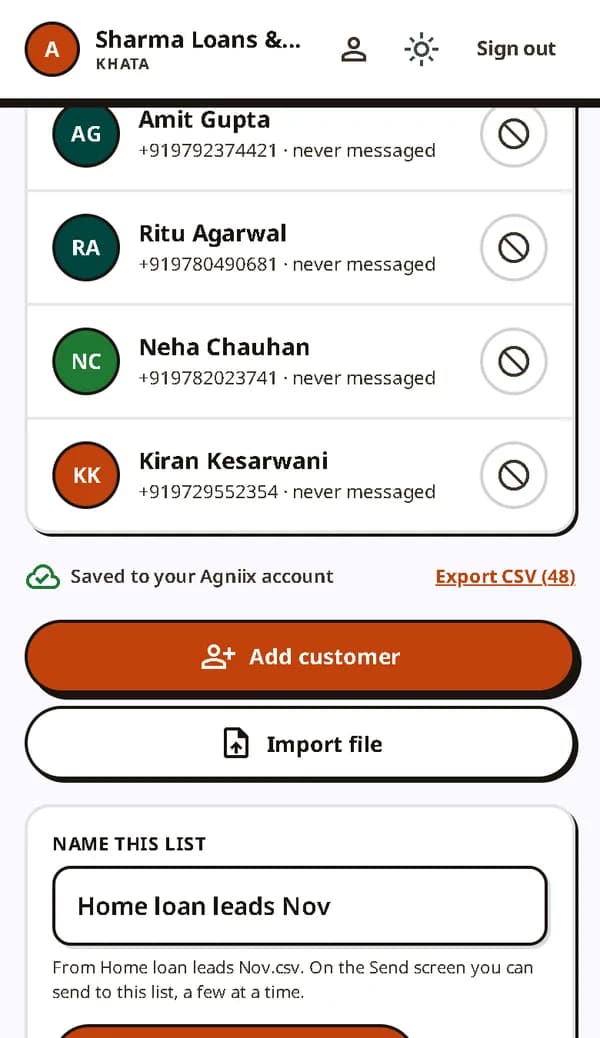
Import a list and give it a name. - 3
Get your offer approved
The first message to a lead must use a template that Meta approves. Write it once in Hindi or English, with the customer's name in it, for example: "Namaste {{1}}, home loan at 8.5% this month. Reply YES for details."
Meta usually approves it within minutes. You can reuse an approved template as often as you like.
- 4
Send to the right leads
Pick the template and the list, and choose how many to send to. Agniix can skip people who already got an offer, so a second template reaches the leads the first one missed.
Messages go out at a steady pace, which WhatsApp expects. A new number starts at about 250 people a day and the limit grows as customers respond well.
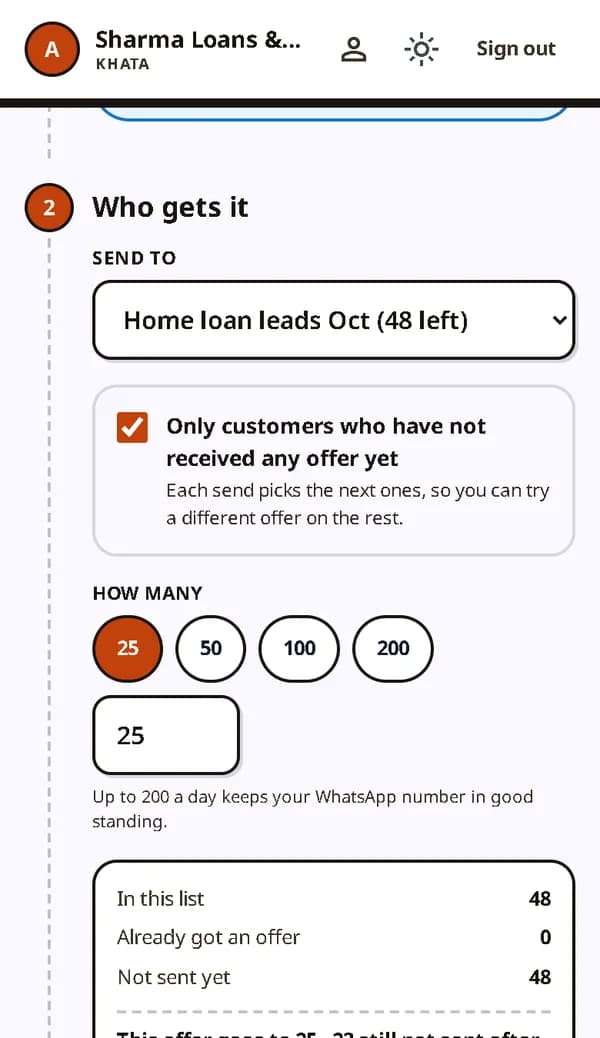
Choose who gets the offer, and how many. - 5
Follow up from the Today list
Everyone who replies goes to the top of the Today list, with Call and WhatsApp buttons. After the call, tap what happened: Interested, Call back later, Sold or Not interested, and pick the next date.
Next morning the list is ready again: replies, calls due today, and leads that went quiet. Every lead has a full WhatsApp chat where you can send a rate card PDF or a photo.
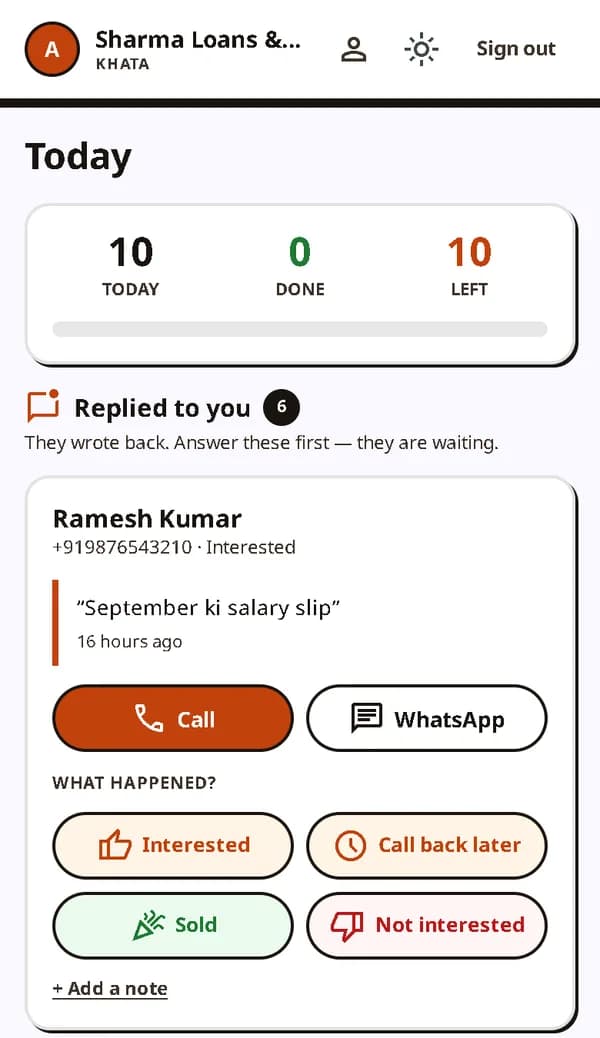
The Today list: who replied and what happened next.
WhatsApp's rules, in plain words
Templates for the first message
A business can start a chat only with an approved template. Agniix shows which of yours are approved.
24 hours to chat freely
When a customer writes to you, you can reply with anything for 24 hours. After that, the next message needs a template again.
Every opt-out honoured
When a customer asks to stop, one tap takes them off future offers. Nothing is sent to them automatically.
Charges go to Meta
WhatsApp bills your own account for each delivered message, about ₹1 for an offer. Agniix adds nothing on top.
Try it with your own leads
The first month of the ₹500 plan is free. Connect your number, import a list and send your first offer.