
WhatsApp Account Banned? Why It Happens and How to Get It Back
4 November 2026 · 6 min read · Agniix Labs
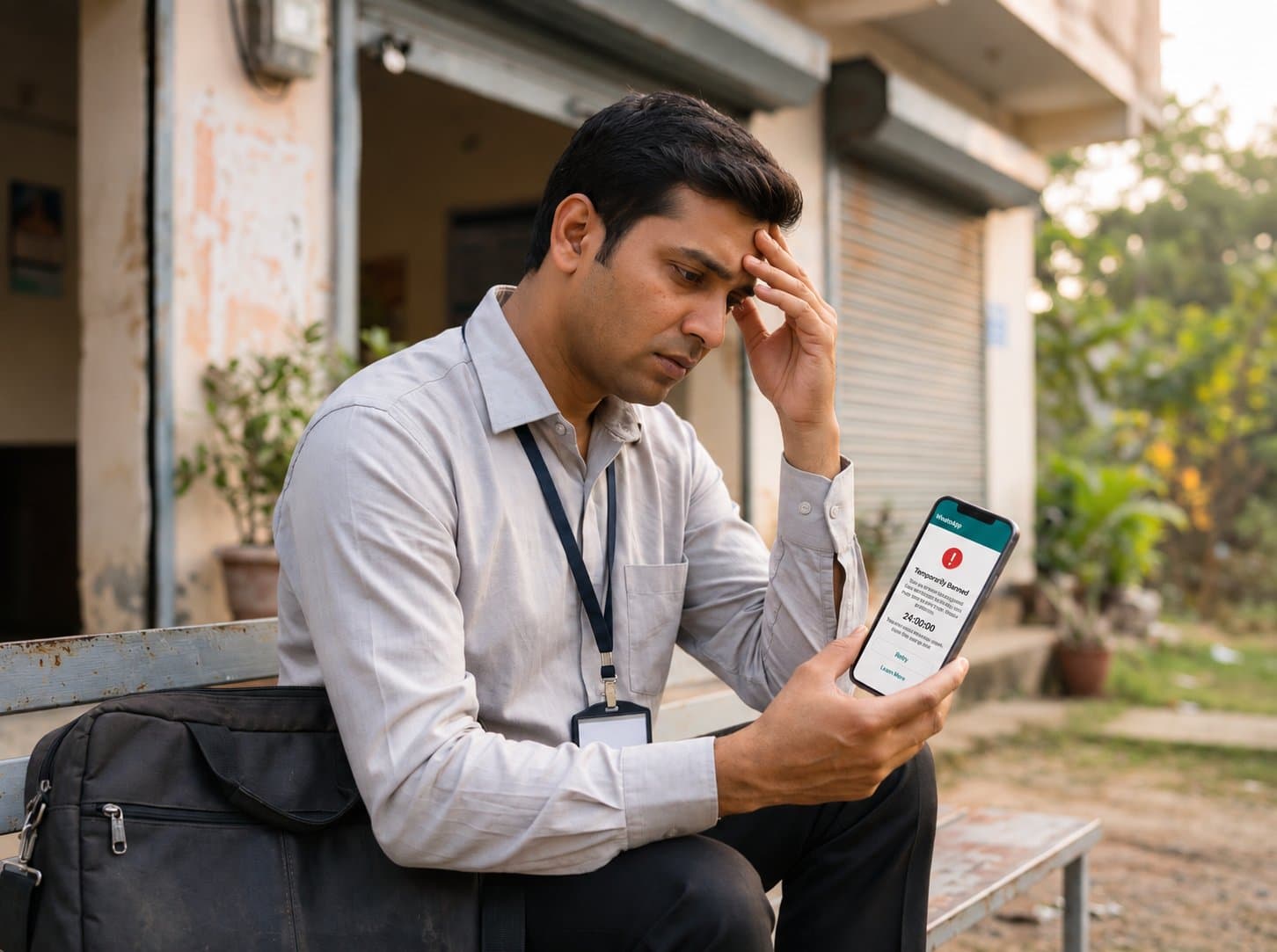
WhatsApp account banned? Learn the real reasons numbers get banned, the difference between temporary and permanent bans, and how to request a review.
For a salesman, WhatsApp is the shop counter. Your leads, your customers' questions, the offer you sent yesterday: all of it lives in one app. So when you open WhatsApp and see that your account is banned, it feels like the shutter just came down on your business. This guide explains why a WhatsApp account gets banned, how to tell a temporary ban from a permanent one, how to ask WhatsApp to review it step by step, and how to make sure it does not happen again.
Why do WhatsApp accounts get banned?
WhatsApp bans a number when it believes the account broke its Terms of Service. It does not tell you the exact message that caused it, but the reasons fall into a few groups, and most bans of salesmen come from the first three:
- Using an unofficial WhatsApp app. Modified apps such as GB WhatsApp or WhatsApp Plus are not allowed. WhatsApp detects them and bans the numbers that use them.
- Bulk or automated messaging. Sending the same message to a long list, using "bulk sender" software, browser extensions or auto-clickers, or messaging very fast, looks like spam to WhatsApp. WhatsApp's help center has a whole page about misuse through automated and bulk messages.
- Many people blocking or reporting you. When people who did not expect your message block you or tap "Report", WhatsApp treats it as a strong sign of spam. A cold list that you bought or scraped is the fastest way to get there.
- Adding people to groups without asking, or adding many strangers to groups in a short time.
- Sharing content that breaks the law or WhatsApp's rules, such as fake news, scams or harassment.
Notice what is not on the list: chatting with new leads one by one, after they gave you their number. That is normal use. The trouble starts when one number behaves like a spam machine.
Temporary ban vs permanent ban
There are two kinds of ban, and they need different actions.
Temporary ban. The app tells you your account is temporarily banned and usually shows a timer. This most often happens when WhatsApp detects an unofficial app. When the timer ends, you can use WhatsApp again, but only if you switch to the official app. Trying to get around a temporary ban, for example by reinstalling the unofficial app, can make it longer or permanent.
Permanent ban. The app says your number is banned from using WhatsApp, or that the account is not allowed to use WhatsApp. There is no timer, only an option to request a review. The exact wording changes with app version and region.
How to get a temporary ban lifted
- Uninstall the unofficial app (GB WhatsApp, WhatsApp Plus or similar). Before you do, back up your chats if the app offers a backup.
- Install the official WhatsApp or WhatsApp Business app from the Play Store or App Store.
- Wait for the timer to finish. Do not keep reinstalling or switching numbers.
- Verify your number in the official app and carry on using it normally.
How to request a review for a banned WhatsApp account
Seeing "WhatsApp account banned" and sure it was a mistake? Ask WhatsApp to look at it again:
- Open WhatsApp on the phone with the banned number.
- On the ban screen, tap Request a review (or "Support", depending on your version).
- Verify your number with the 6-digit code WhatsApp sends.
- If there is a box to explain, write briefly and honestly: who you are, how you use WhatsApp, and why you think the ban is a mistake.
- Submit the review once, then wait. You will see the result in the app.
What to write, as an example:
"I am a home loan agent. I use WhatsApp to reply to customers who contact me about loans. I do not use any unofficial app or bulk sending software. I believe my account was banned by mistake and request a review."
Keep it short and true. If you did use an unofficial app or a bulk sender, remove it before you ask for a review, and do not deny it.
If WhatsApp decides the ban was correct, it will not lift it. In that case you can only start again on a different number, and you should change how you work so the new number does not get banned too.
How salesmen can avoid a WhatsApp ban
- Use only the official WhatsApp or WhatsApp Business app. No mods, no "dual" or "plus" versions.
- Message people who know you. Leads who enquired, customers who bought, people who gave you their number. Not bought lists.
- Ask new contacts to save your number. It builds trust, and your WhatsApp broadcasts only reach people who saved you anyway.
- Do not send the same message to a long list in one go from your phone, and never with bulk sender software.
- Make it easy to say no. If someone asks you to stop, stop. People who can opt out do not report you.
- Start new numbers slowly. A brand-new number that suddenly messages many people looks like spam.
The safe way to message many leads
If your work needs one offer to reach hundreds of leads, the WhatsApp app is the wrong tool, however carefully you use it. That is what WhatsApp's official Business API is for: messages go out through WhatsApp's own system, as approved templates, with an opt-out, and WhatsApp sets clear daily limits for each number instead of guessing from your behaviour.
It is not a free pass. Customers can still block or report a business that sends unwanted messages, and WhatsApp still acts on that. But it removes the biggest causes of bans: unofficial apps, automation tricks and sending too fast.
Agniix gives salesmen in India the official API in a simple app: send approved offers to your leads, see every reply in one inbox, and mark anyone who asks you to stop, so every later offer leaves them out. Your first month is free. See plans and pricing.
Frequently asked questions
How long does a WhatsApp ban review take?
It varies. Many reviews are answered within a day or two, but WhatsApp does not promise a fixed time. Submit one request and check the app; sending many requests does not speed it up.
Can I get my WhatsApp account back after a permanent ban?
Only if the review finds the ban was a mistake. If WhatsApp upholds the ban, that number cannot use WhatsApp again.
Will I lose my chats if my WhatsApp is banned?
If the ban is lifted, your chats come back with a restored backup. If the ban is permanent, you cannot open those chats in WhatsApp again, which is why regular backups matter.
Can I use the same number on WhatsApp Business after a ban?
No. A ban applies to the phone number, on both WhatsApp and the WhatsApp Business app.
Does a WhatsApp Business account get banned less?
The WhatsApp Business app follows the same rules as normal WhatsApp. What lowers the risk is how you message: people who know you, at a normal pace, through official apps.